tb88kit App — Carry the Casino and Sportsbook in Your Pocket
The tb88kit app brings cricket betting, live slots, bKash deposits and instant withdrawals to your Android phone. No browser needed — open the app and you are ready to play in seconds.
- Safe APK
- Android 7.0+
- bKash & Nagad
- 24/7 Support
Scan to download APK
Install the tb88kit APK on Android — Five Steps
Android OnlyAndroid blocks APKs from outside the Play Store by default. You need to allow "Unknown Sources" once — the whole process takes under three minutes.
-
1
Allow Installation from Unknown Sources
Go to Settings → Security (some phones call it Privacy or Biometrics and Security). Find Install Unknown Apps and enable it for your browser or file manager. On Android 11+ you grant this permission per-app rather than globally — choose the app you will use to open the APK file.
This setting only affects side-loaded APKs. It does not reduce your phone's security for Play Store apps. -
2
Download the tb88kit APK
Tap the Download APK button on this page. Your browser will save
tb88kit.apk(58 MB) to your phone's Downloads folder. Use a stable Wi-Fi or mobile data connection — a broken download will produce a corrupted file that refuses to install. Wait until the progress bar finishes. -
3
Open the APK and Tap Install
Open your Downloads folder (or tap the notification that appears), then tap the
tb88kit.apkfile. Android shows an installation screen listing the app's permissions. Review them, then tap Install. Installation finishes in about 15 seconds depending on your phone model.If you see "Package parse error", the file did not download fully. Delete it and download again. -
4
Open the App and Log In
Tap Open on the success screen, or find the tb88kit icon on your home screen. The app loads to the lobby in a few seconds. If you already have an account, tap Log In and enter your mobile number and password. Already registered? Head straight to tb88kit Login.
-
5
Register and Make Your First Deposit
New player? Tap Register inside the app, fill in your mobile number, set a password and confirm your age. The sign-up form matches the tb88kit Register page exactly. After creating your account, go to Deposit → bKash and top up at least ৳250 to unlock your welcome bonus. Funds arrive in about 2 minutes.
Keep automatic updates on so you always run the latest version. The current release is v3.8.20.
iPhone Users: Add tb88kit to Your Home Screen
iOS does not allow third-party APKs. The best option is to save the mobile site as a web app — it behaves like a native app and keeps your session active.
-
1
Open Safari and Go to tb88kit.ws
Use Safari — Chrome on iOS does not support adding to home screen. Navigate to tb88kit.ws and wait for the page to fully load.
-
2
Tap the Share Button
At the bottom of Safari, tap the box-with-arrow icon. A share sheet slides up from the bottom of the screen.
-
3
Select "Add to Home Screen"
Scroll through the share sheet options and tap Add to Home Screen. Edit the name to "tb88kit" if you like, then tap Add in the top-right corner.
-
4
Launch from Your Home Screen
The tb88kit icon now appears on your home screen. Tap it to open the site in full-screen mode — no browser address bar, no distractions. All features including bKash deposits work the same way.
App Details and Direct Download
Direct download from tb88kit.ws. No sign-up needed to download — you can install first, then register inside the app.
| Version | 3.8.20 |
|---|---|
| File Size | 58 MB |
| Platform | Android APK |
| Min Android | 7.0 (Nougat) or later |
| Last Updated | 3 November 2026 |
| Price | Free |
| Language | English / Bangla |
App vs Browser — Side-by-Side
Both options give you the full tb88kit game library. The app adds speed and notification perks that the browser cannot match.
| Feature | tb88kit App | Mobile Browser |
|---|---|---|
| Load Speed | Faster — cached resources | Reloads on every visit |
| Push Notifications | Bonus & match alerts | Not available |
| Full Game Library | All 2,700 games | All 2,700 games |
| bKash / Nagad Deposit | One-tap redirect | Works fine |
| Withdrawal to bKash | ~34-min processing | ~34-min processing |
| Live Score Widget | In-app overlay | Not available |
| Fingerprint / Face Login | Supported | Not available |
| Auto-Update | In-app prompt | Always latest |
| Requires Installation | Yes — 58 MB one-time | No install needed |
| iOS Support | Android only | All devices |
Already have an account? Log in and play from the browser right now — no download needed.
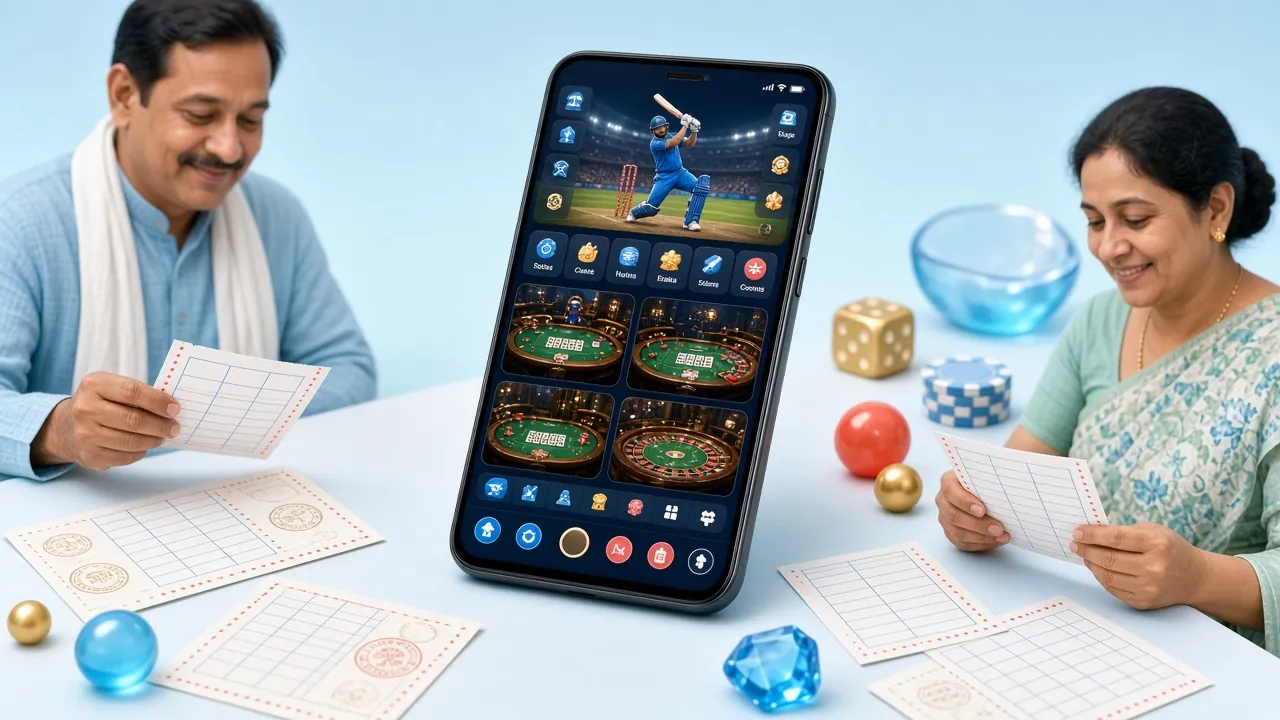
Six Things You Can Do Right Inside the App
Browse All Games
Slots from Top Providers
Spin titles like Dragon Fortune (JILI, RTP 96.6%) and Jungle King (Sexy Gaming, RTP 97.6%) from the comfort of your phone. Bet from as little as ৳2 per spin. The app optimises graphics for smaller screens without cutting any features.

Live Casino with HD Streams
Play Mini Baccarat and Single Deck Blackjack with real dealers streamed in HD. Evolution and Ezugi studios stay lag-free on a 4G connection. Minimum bet is just ৳1 at Mini Baccarat (JILI), so you can try the tables without big stakes.
Cricket and Football Betting
Place pre-match and in-play bets on BPL, IPL, T20 World Cup and domestic football leagues. The app displays live scores inside the betting slip so you never need to switch tabs. Cash-out is available on selected matches — tap the bet, check the offer.
Fishing Games and Arcade
Royal Fishing (JILI) and 3 Gods Fishing (JDB) are available in the app with full touch controls. Tap to shoot, swipe to aim — touch input feels more natural here than on a desktop. Minimum buy-in starts at ৳10.
bKash and Nagad in One Tap
The app connects directly to bKash and Nagad payment flows. Tap Deposit, choose your method, enter the amount (min ৳250), and confirm in the bKash app. Funds land in roughly 2 minutes. Withdrawals are processed within 34 minutes on average to your registered bKash number.
Push Notifications for Bonuses
Enable notifications during setup and tb88kit will alert you to reload bonuses, new promotions and upcoming match start times. You can tune which alerts you receive in Settings → Notifications — turn off everything except the ones that matter to you.
Security and What Permissions the App Needs
Installing APKs outside the Play Store is safe when you download from a trusted source. Here is what tb88kit does — and does not — do on your device.
End-to-End Encryption
All traffic between the tb88kit app and the server uses TLS 1.3 encryption — the same standard as online banking. Your login credentials, payment details and personal data are never sent in plain text. The connection is verified by an SSL certificate tied to tb88kit.ws.
Minimal Device Permissions
The tb88kit app requests only the permissions it actively uses: Internet (required to load games), Storage (for the installation file and local cache) and Notifications (optional — for bonus alerts). It does not access your contacts, camera, microphone or location at any point.
Biometric and Two-Step Login
After your first login you can enable fingerprint or face unlock in Settings → Security. This stores an authentication token on your phone's secure enclave — tb88kit never receives your biometric data. If you lose your phone, you can reset access via email verification through tb88kit Login.
Keep the App Updated
tb88kit releases security patches alongside feature updates. When a new version is ready, you will see an in-app banner asking you to update — tap it and the app downloads the new APK automatically. You can also return to this page and re-download the latest file. Staying on v3.8.20 or above ensures you have all current security fixes.
System Requirements and Version History
| Operating System | Android 7.0 (Nougat) or above |
|---|---|
| RAM | 2 GB or more recommended |
| Free Storage | 120 MB (58 MB APK + cache) |
| Internet | 4G / Wi-Fi for live casino streams |
| Screen Resolution | 720p or higher |
| v3.8.20 (current) | Live score overlay, faster lobby load, TLS 1.3 upgrade |
|---|---|
| v3.7.14 | Biometric login, Nagad one-tap deposit added |
| v3.6.9 | Fishing game touch controls improved |
| v3.5.3 | Push notification system introduced |
Not sure if your phone qualifies? Open your phone's Settings → About Phone → Software Information to check your Android version. If it is 7.0 or later, you are good to go.
Common Install Problems and How to Fix Them
Most errors come from one of five causes. Match your error message to the table below and follow the fix.
| Error / Symptom | Likely Cause | Fix |
|---|---|---|
| "Install blocked" message | Unknown Sources not enabled for the app you used to open the APK (browser or file manager). | Go to Settings → Apps → [your browser] → Install Unknown Apps → Allow. Then try opening the APK file again. On older Android, go to Settings → Security → Unknown Sources. |
| "Package parse error" | The APK file is corrupted — the download was interrupted or only partially completed. | Delete the file from your Downloads folder. Reconnect to a stable Wi-Fi network and re-download the APK from this page. Do not open the file until the download shows 100%. |
| App installs but crashes on launch | Device runs Android below 7.0, or RAM is too low to load the lobby assets. | Check your Android version in Settings → About Phone. If it is below 7.0, the native app is not supported — use the mobile site via Safari or Chrome instead. Close background apps to free RAM. |
| Games load slowly or freeze | Weak mobile data signal, or phone is running too many background apps simultaneously. | Switch to Wi-Fi if possible. Close apps running in the background (open your Recents view and swipe them away). For live casino streams, a minimum 10 Mbps connection is recommended for smooth HD video. |
| "App not installed" with no error code | An older version of the same app is on the device, or insufficient internal storage is available for installation. | Uninstall any previous tb88kit app version first (Settings → Apps → tb88kit → Uninstall). Then check that you have at least 120 MB of free storage before retrying the installation. Contact support if the issue persists. |
Still stuck? Email [email protected] with a screenshot of the error and your Android version. The 24/7 live chat inside the app can also walk you through the fix in real time.
Download tb88kit App — Everything in One Place
-
bKash & Nagad deposits land in under 2 minutes
Top up your account without leaving the app — tap Deposit, choose bKash or Nagad, and the money is in your wallet fast.
-
Cricket, football and live casino — all in one screen
Switch between IPL match odds, live slots from JILI and Evolution, and fishing games without opening a browser tab.
-
Push alerts for match starts and bonus offers
Get notified the moment your team kicks off or a reload bonus goes live — you will never miss the right moment to place a bet.
-
Runs on Android 7.0 and up — only 58 MB
Compatible with the vast majority of Android phones in Bangladesh. No bloat, no background drain, no hidden charges.
Scan with your phone camera to download
Get the App Running in Under Three Minutes
Follow these steps on any Android phone. The whole process — from download to your first spin — takes less than three minutes on a steady connection.
-
01
Allow installs from unknown sources
Go to Settings → Security → Install Unknown Apps, then enable it for your browser or file manager. On Android 11 and above you grant this per-app — pick whichever app you will use to open the APK file.
-
02
Download the tb88kit APK
Tap the Download APK button on this page. Your browser saves tb88kit.apk (58 MB) to your Downloads folder. Keep your screen on until the progress bar finishes — an interrupted download produces a broken file.
-
03
Open the file and tap Install
Open your Downloads folder or tap the browser notification, then tap tb88kit.apk. Android shows the permissions screen — review it and tap Install. The app installs in seconds.
-
04
Log in or create your tb88kit account
Open the app from your home screen, tap Log In if you already have an account, or Register Now to sign up in under a minute with your phone number and a password.
-
05
Deposit via bKash or Nagad and start playing
Tap Deposit, choose bKash, Nagad, Rocket or Upay, enter ৳250 or more, and confirm on your mobile wallet app. Funds arrive in about 2 minutes — your first deposit unlocks the welcome bonus automatically.
Questions About the tb88kit App
Is the tb88kit APK safe to install on my Android phone?
Yes. The APK hosted at tb88kit.ws/download/tb88kit.apk is the official build, scanned for malware before each release. The app requests only three permissions — Internet, Storage and Notifications (optional) — and uses TLS 1.3 encryption for all data in transit. If you download from a third-party site, we cannot verify that file's integrity, so always use the link on this page.
Why does Android block the installation?
Google Play Protect blocks APKs from outside the Play Store by default to prevent malware. You need to tell Android you trust this specific source. Go to Settings → Apps → [your browser] → Install Unknown Apps and switch it on. You only need to do this once. The setting applies only to files opened through that browser, not to the entire phone, so your general device security is not changed.
How do I update to the newest version of the app?
When a new build is available, the tb88kit app displays an in-app banner prompting you to update. Tap it and the new APK downloads and installs automatically — you do not need to uninstall the old version first. Alternatively, return to this page, download the latest APK file, and open it. Android recognises it as an update rather than a fresh install and preserves your login session and settings.
Can I use the app on two phones at the same time?
Your tb88kit account can be installed on multiple devices, but only one active session is allowed at a time. If you log in on a second phone, the first device is automatically signed out. This is a security measure to protect your wallet. If you share a household device with another person, each player must use their own separate registered account — accounts cannot be shared between players under the terms of service.
What happens to my account if I uninstall the app?
Uninstalling the app does not affect your account or balance. Your funds, bonus status, VIP tier and transaction history are all stored server-side. Simply re-install the APK from this page and log in with the same mobile number and password. If you have forgotten your password, use the Forgot Password option on the tb88kit Login page to reset it via your registered mobile number.
Does the app work on tablets?
Yes — the tb88kit app runs on any Android tablet that meets the minimum requirements (Android 7.0+, 2 GB RAM). The UI scales to larger screens and the game lobby displays more columns, which makes browsing the 2,700-game library more comfortable. Live casino streams also benefit from the larger display. Note that some older tablets may struggle with HD live dealer streams if their processor is below mid-range.
Is there a version for iOS or for desktop Windows?
Currently, tb88kit offers an Android APK only. iPhone and iPad users can access the full site through Safari and add it to their home screen using the steps described earlier on this page. Desktop users on Windows or Mac can play directly at tb88kit.ws in any modern browser — Chrome, Firefox and Edge all work well. A dedicated iOS app and desktop client are on the development roadmap but no release date has been confirmed.
Need Help Right Now?
The 24/7 live chat inside the app connects you to a support agent in under a minute. For account issues, email us and we reply within 6 hours.
Email SupportQuick Links
Ready to Play on Your Phone?
Download the tb88kit app now — it is free, takes under three minutes to install, and your first deposit via bKash qualifies for the welcome bonus.
18+ · Play Responsibly · Android 7.0+ required · v3.8.20 · 58 MB